












Computer Column #290
by John P. Reid, jreid@dca.net
|
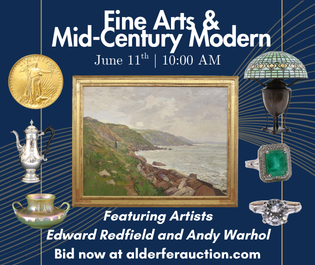
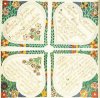
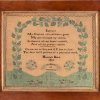
A poster being designed in free Scribus page layout software. |
Posters are useful to antiquers. A poster in a show booth can publicize a dealer’s Web site, Facebook account, or merchandise too large to bring to the show. A collector might make a poster with details of an object on display. Show promoters and auctioneers use posters to attract customers. Group shop managers and show promoters use utility posters to say things like “More Dealers Upstairs.” Once poster design is learned, the same tools and methods can create catalog covers, greeting cards, and advertising copy.
Looking at old posters gives a feel for style. Last month we mentioned the Library of Congress on-line collection of Depression-era posters by Works Projects Administration artists (www.loc.gov/pictures/collection/wpapos). These have elegant simplicity and classic style. More modern examples can be found by going to Google Images (google.com/images) or Bing Images (bing.com/images) and entering “poster design” in the search box. Great posters of the past can be seen by entering “Art Nouveau posters” or “Art Deco posters” in the same search engines. Designing posters for antiques events can be satisfying work, but doing posters for other activities is also fun (jnjreid.com/posters).
A poster is a mishmash of art and lettering. There are several ways to make one. Art can be printed, scanned, copied, and resized as needed. Lettering can be produced with a word processor. Then everything can be cut out and pasted in position, tilting and overlapping as wanted. Finally, the paste-up can be copied and printed on quality paper.
It is much easier with software, however. Photo editing software can do these operations without scissors and library paste. Good products are Adobe Photoshop Elements for $99.99 for the full (not upgrade) edition (www.adobe.com/PhotoshopElements) or Corel PaintShop Pro listing for $79.99 (www.corel.com/corel/product/index.jsp?pid=prod4900067). Both are often discounted, sometimes deeply.
With a photo editor, images can be cleaned up, altered, and resized. Backgrounds can be created. The text creation functions in photo editors are clumsy. Rather than fight them, screen-size lines of word processor text can be captured (press Alt-PrtScn on a Windows computer) then digitally pasted into a graphic-format file. Once the needed elements are on hand, individual elements can be copied and computer pasted onto a new blank graphic file. This takes some practice. It helps to save every image change in a new, carefully labeled file so backing up after a mistake is possible.
Complete posters can be created with photo editing software, and such software will always be needed to prepare art. However, final assembly will be much easier and more precise if done on page layout software. Some of the leading products include Adobe InDesign and QuarkXPress. Such software can cost hundreds of dollars and is overkill for designing a few posters. The open source Scribus (www.scribus.net) software can be downloaded free for Windows, Linux, or Macintosh. Scribus takes a little time to learn, but good documentation was recently added to the Web site. There are several books on Scribus available from on-line book shops.
Page layout software allows elements to be placed exactly where wanted by entering numerical coordinates. It also allows text to be created and placed more easily than it can be in photo editing software.
As poster designers strive for artistic results, they discover transparency. Graphic files have rectangular borders, and the unused background area within those borders usually has a color, even if it is white. When two pieces of art are placed close to each other on a poster, the background of one will overlap the other and partially hide it. The solution is to turn the backgrounds transparent.
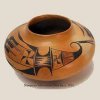
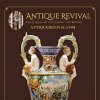
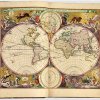
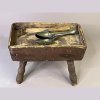
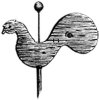
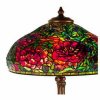
The illustration for this column shows transparency at work. The background and art can be seen behind the text. The art also has a transparent background so it can be placed on any poster background.
The common JPG graphic file format does not support transparency. The newer PNG format (Portable Network Graphics) does. Photo editing software can convert JPG files to PNG files, and ways are provided to select areas to be rendered transparent. With a graphic file open in Corel PaintShop Pro, click “File,” “Export,” “PNG Optimizer.” Select the “Transparency” tab on the dialog that appears. For Adobe Photoshop Elements, one of several methods is shown in a video tutorial on the Web (www.youtube.com/watch?v=FZ8d9oDnlcw).
Most photo editing software displays a transparent area as a gray and white checkerboard, though this may not appear until the file is saved, closed, and reopened.
Selecting poster art is simple if a specific show, auction, or object is the subject. If the art merely illustrates the subject in a general way, searching for a picture may be necessary. Use the image function on search engines. Be aware of legal rights. Art is not in the public domain just because it is on the Internet. The owner of the rights might complain as soon as the picture is used publicly, especially if it is used commercially.
Keep the art clean and simple. Its main purpose is to catch the eyes of passersby, so they will read the text.
Keep the text simple as well. Thirty words might be too many on some posters. It is better to leave the viewer asking questions than to use so many words that no one bothers to read them.
Use standard type fonts. If an unusual font is really needed, enter “free font downloads” in a search engine. The poster should not be a font sampler. A limit of one or two font families in a couple of sizes is best. Use a few harmonious colors rather than designing a rainbow.
Text must often have a transparent background so it can overlap art. Page layout software produces text with transparent background by default. If text is produced by word processor and photo editing software as described above, the background must be made transparent in the photo editor. Do not forget to make enclosed areas inside letters such as “O” transparent as well.
A letter-size poster can be reproduced on a computer printer. Posters look brighter and bolder on glossy photo paper.
If larger posters are needed, office supply stores and copy shops will print them for a fee. One local store quoted the following approximate prices for each poster: 11" x 17" for $13, 18" x 24" for $21, and 24" x 36" for $42. In general, these are not suited for outdoor use, so ask for details.
A cheaper but finicky and labor-intensive option is to print a large poster in a matrix of letter-size sheets and paste them up. Easy Poster Printer software (www.gdsoftware.dk) for $9.95 will do a good job of dividing the larger image into separate printer pages. The free Adobe Reader (get.adobe.com/reader) has a feature on its print dialog to print a large Adobe PDF document in parts. I find it difficult to use, and it seems to change with each update. Besides, posters created in a photo editor alone are not easily converted to a PDF file. Posters created in page layout software are easy to convert.
Originally published in the February 2013 issue of Maine Antique Digest. © 2013 Maine Antique Digest